What I Pushed Forward with AI in the Last 7 Days
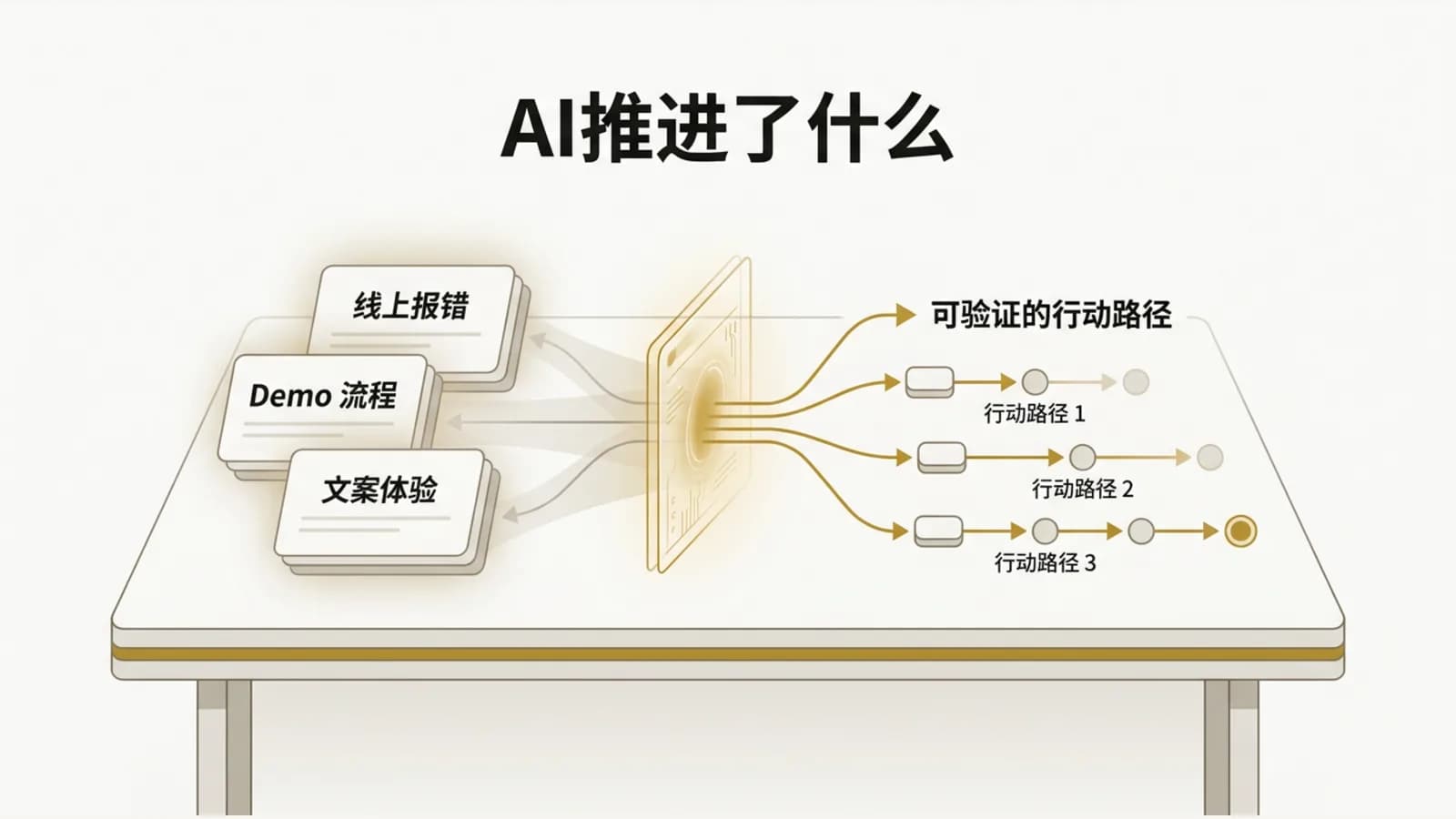
I used to think of AI coding mostly as "getting it to write code for me."
But over the last 7 days, the way I use it has changed. I've started treating AI as a collaborator I can pull in anytime: to break problems down, dig into root causes, polish the experience, and do research. It doesn't make decisions for me. What it does is help me untangle a lot of problems that used to be knotted together.
First, stabilize production
The most down-to-earth work this week was still fixing live issues.
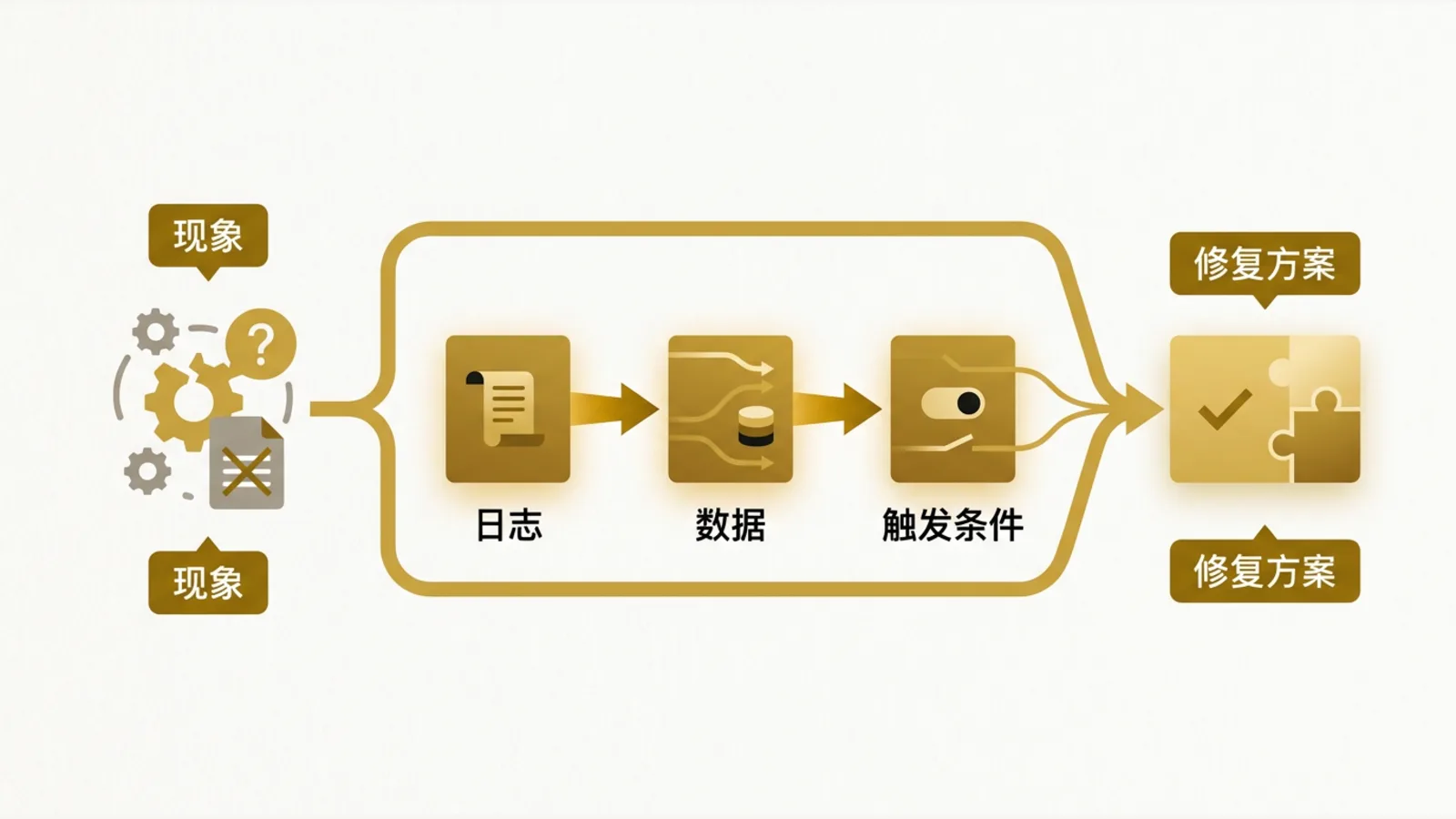
Once, a mall data upload threw an error. Another time, the POS ordering menu broke when certain products were selected. The annoying part of bugs like these isn't "changing one line of code." It's figuring out where the problem actually is first. Is the data not what we expected? Is some config missing? Is the frontend state off? Or does the backend logic just not cover an edge case?
Here's how I worked with AI on it: I'd describe what the user was seeing, then have it help me lay out a debugging path. From there I'd check the logs, the data, and what triggers the bug, and finally narrow it down to a fix I could actually ship.
That's a lot more useful than just asking AI to write code. What production issues really need is the ability to find the problem, not a quick snippet of code that looks right.
A demo isn't a button, it's a whole experience
Another thing that really stuck with me was the demo on our website.
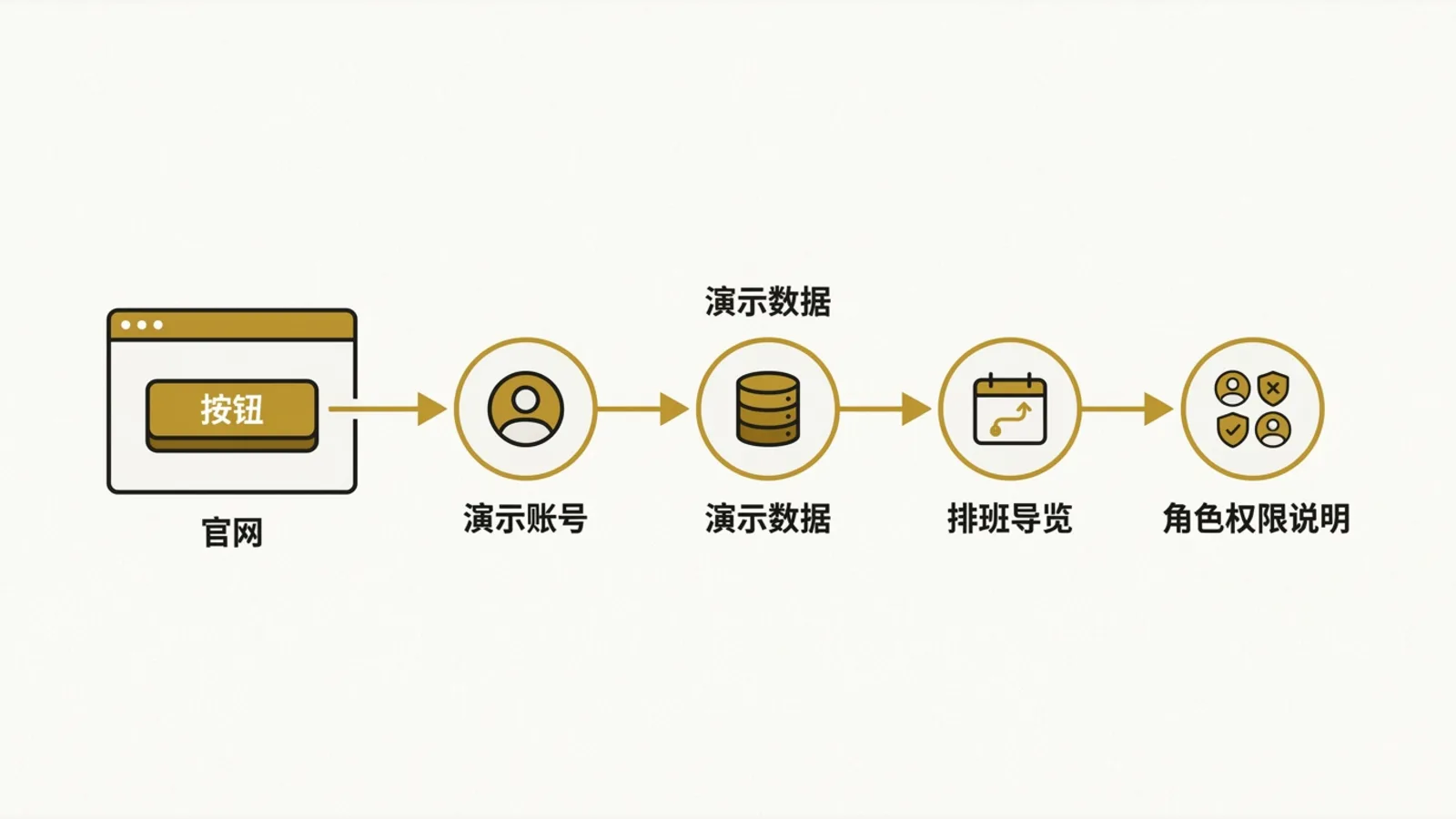
At first the problem looked simple: the Book a demo button didn't do anything. But once I started pulling on that thread, it turned out the real job was an entire flow. Where does the user go after clicking? What demo account do they use? Is the local data consistent with production? What should they see first once they're in? Do staff and manager accounts see different things? Can they get through the scheduling walkthrough smoothly?
I had AI help me break all of that into tasks, then filled in the gaps one by one: demo accounts, demo data, the POS login flow, the scheduling walkthrough, and an explanation of role permissions.
The lesson for me: a lot of product problems look like "a button is broken" on the surface, but underneath, it's that the customer's path to understanding your product for the first time is broken.
Small UX issues have a big impact on trust
This week I also worked through a batch of Chinese/English UX issues.
For example, the English UI still had a lot of Chinese in it. If you opened the POS in English, the login page and the rest of the system would flip back to Chinese. And in the navigation, the longer English labels made buttons and icons overlap.
None of these are big features, but they're very real. Especially with customers in Singapore, whether the Chinese and English experiences are consistent directly shapes how mature they think the product is.
AI was a lot like a patient QA tester here. It helped me reproduce issues from screenshots and descriptions, listed out what to check, and kept the fixes scoped to the parts that actually mattered. When you're building a product solo, having something that sticks with you while you go through every little detail means a lot.
Exploring new directions without piling on features
Besides fixing the product, I also used AI to research a few possible directions.
I looked into AI finance products, how video generation sites work, and whether a tool for collecting government subsidy data could be turned into a product. The point wasn't to copy whatever features other people have. It was to figure out: do these capabilities fit into MakanCloud as it is today? Should they be integrated, or built as a separate small tool? Do I actually have the capacity to ship and maintain them right now?
The most valuable part of this kind of research is that AI can quickly help me sketch out a feature map and an implementation path. But the final call still comes back to the business: who's the customer, is the pain point specific enough, and can I validate it with the smallest possible version?
What I actually learned this week
After this week, I'm more and more convinced that working with AI isn't about "automating everything."
What really works is turning a fuzzy problem into a few steps you can verify: reproduce first, then locate, then fix, then verify. Get clear on the customer's path first, then build the smallest loop that closes it. Explore what's possible first, then decide whether it's worth doing.
AI hasn't made me less responsible. If anything, it's made it clearer which decisions I have to make myself.
If you're building a product too, especially solo or with a small team, I'd suggest starting to use AI on real problems: production errors, places where users get stuck, demo flows, copy and UX, competitor research. Don't just ask "can you build this feature for me?" Ask more often, "what is this problem actually affecting?"
I'll keep documenting how MakanCloud is being built, and I'll also turn these AI collaboration methods into more concrete case studies. Drop a comment and let me know: what kind of problem do you most want AI to help you solve right now?